 Chicago Works
Chicago Street Light Out? Here's How to Report It
A dark pole makes a block feel unsafe fast. Chicago repairs streetlights based on 311 reports — and reporting the right way (one light vs. the whole block) gets the right crew sent the first time.
First: one light out, or the whole block?
Chicago's 311 system treats these as different problems, because they usually are:
- One pole dark — typically a burned-out or failed fixture on that pole. File it as a single streetlight outage.
- All lights out on the block — usually a circuit or underground wiring problem feeding the whole run of poles. File it as an all-out / group outage so it's routed to the crew that works on circuits, not lamps.
- Alley light out — alley lights are their own 311 category. If the dark fixture is in the alley behind your home, report it as an alley light so it isn't mistaken for a street pole.
How to file the report
Like every Chicago service request, you have three routes: call 311 (or 312-744-5000 from outside the city), use the portal at 311.chicago.gov, or file through an Open311 app like Chicago Works from the sidewalk under the dead pole.
Whichever you use, include:
- The nearest street address or intersection to the pole — poles between addresses are fine, just describe which side of the street.
- How it's failing — completely dark, flickering, or burning during the day (day-burners waste power and usually mean a failed sensor).
- How many poles are affected, so it gets categorized correctly.
What happens after you file
Your request gets a service request (SR) number and is routed to the city's electrical crews. Single-lamp fixes are usually the quick ones; block-wide outages that trace back to underground wiring can take longer because they may need excavation. The request status moves from open to in progress to closed as the work happens, and you can check it any time with your SR number — or automatically in the Chicago Works Service Tracker.
If the outage comes with something actively dangerous — a pole knocked over in a crash, exposed wiring, sparks — treat it as an emergency and call 911 first. 311 is for the non-emergency repair.
And don't talk yourself out of reporting because “someone must have already.” Duplicate reports don't hurt — the city consolidates them — and a dark block that everyone assumed someone else reported is how outages linger for weeks.
Reporting a streetlight with Chicago Works
Streetlight outages are one of the categories where an app genuinely beats the phone, because the hard part is describing which pole. Chicago Works solves that with the map:
- Stand near the pole and open the app. GPS pins your location and detects your ward automatically; drag the pin onto the exact pole position.
- Choose the streetlight category from the list — the app carries 50+ Chicago service categories, streetlights and alley lights included.
- Add a note and submit. Mention if it's the whole block or a day-burner. The request files directly into the city's official Open311 queue.
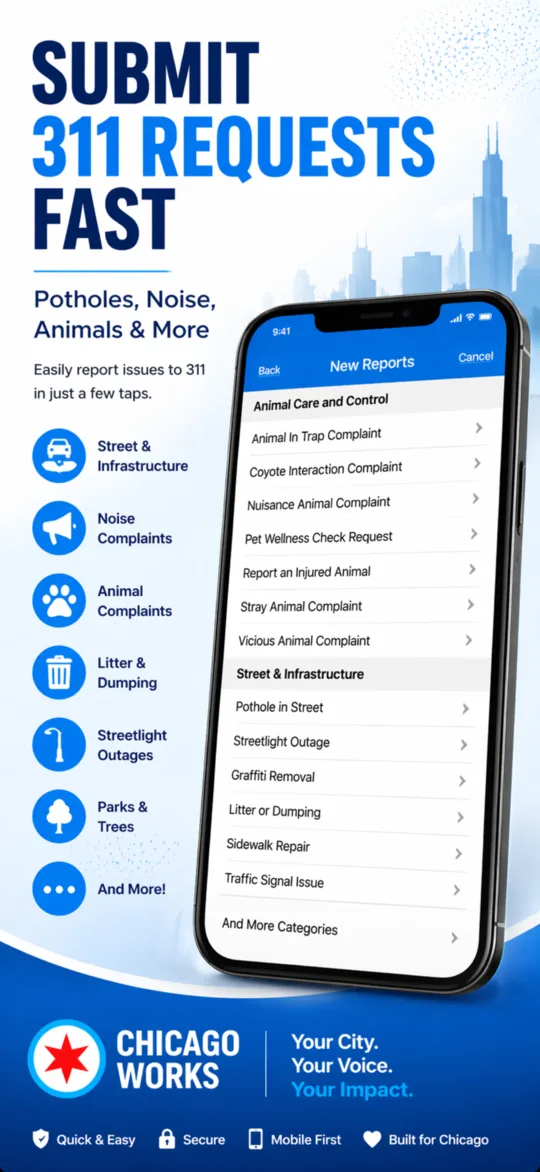
It's dark out when you spot these, and nobody wants to spend twenty minutes on hold at 10pm. The app files in seconds, works offline if you're in a signal dead zone, and the Service Tracker pulls live status from the city's system so you'll see when the crew has been out.
Light that block back up
Pin the dark pole on the map, pick the streetlight category, submit. Chicago Works files it with the city's Open311 system and tracks the repair for you.
Download on theApp Store Free · iPhone & iPad · Also on Google Play · Works in all 50 wards